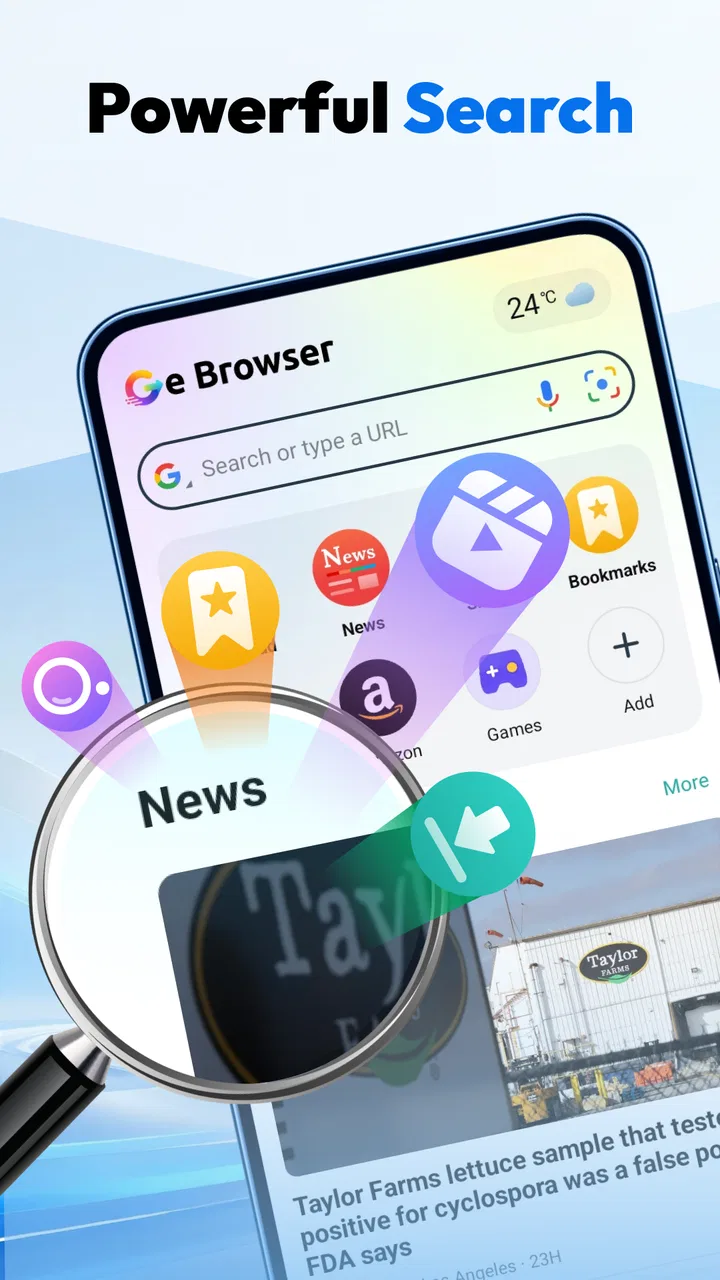
Ge Browser - Safe & Smart
- 4.8
- Rating
- 500.00K
- Installs
- Free
- Price

 Analysis by App-foxy
I tend to judge a browser by what happens between opening it and getting the page I need: does it feel direct, and does it stay manageable when I move from browsing to saving a video? Ge Browser - Safe & Smart brings private browsing and video downloading together in a free tools app. That combination gives it a clear purpose, though it also means the experience is best judged by whether those two jobs fit your routine—not by expecting it to replace every browser on your device.
Quick browsing, with a download-focused twist
Ge Browser is developed by Av sign international, and its central appeal is practical: browse privately, then use the browser’s video-downloading role when you want to keep a clip for later. I can see the appeal for someone who often discovers useful material while browsing and would rather handle that task in one place than switch between a browser and a separate downloader.
The app’s positioning suggests a streamlined approach rather than a feature-heavy browser suite. That can be a plus if you want a straightforward tool for a particular task. It also sets a reasonable expectation for speed: a browser can feel fast when it gets you to a page without fuss, but actual loading depends on the site, connection, and device. I wouldn’t treat a “fast” promise as a guarantee that every page or video will load instantly.
You May Also Like

 AccuWeather: Weather Radar
AccuWeather Review: A Quick, Clear Forecast for Everyday Decisions
For everyday plans, the best forecast is the one you can understand quickly. AccuWeather makes rain timing, radar, and local conditions easy to act on, with a few trade-offs.

 Hill Climb Racing
Why Hill Climb Racing Still Turns Crashes Into One More Run
A tiny car, a bumpy hill and one more upgrade: Hill Climb Racing keeps resurfacing because its simple chaos makes every near-miss feel personal.

 AliExpress - Shopping App
AliExpress Makes Global Shopping Feel Personal, but Shoppers Bear the Risk
AliExpress turns a global marketplace into a pocket-sized discovery engine. Its reach is useful, its shopping loop compelling, and its trade-offs easy to miss.

 Lords Mobile: Kingdom Wars
Lords Mobile Is a Kingdom-Building Routine, Not a Quick Match
A case-by-case verdict on the building, battles, device demands, and social commitments that make Lords Mobile rewarding for some players and exhausting for others.

 PDF Scanner app - TapScanner
TapScanner Makes Paperwork Easier to Capture, Check, and Share
TapScanner makes scanning with a phone feel less like a rescue operation and more like a dependable step in getting work done. Its capture tools are useful, though not flawless.

 Block Blast!
 Shows How Much a Puzzle Game Can Leave Out
A quiet grid game shows why puzzle players increasingly value instant clarity, repeatable skill and low-pressure play—and where the genre still needs to catch up.
More From Our News Desk
View All News


Its current version is 1.3.1. The app has an average rating of 4.8 from around 5,800 ratings, and it has been installed over 500,000 times. Those figures suggest that it has found an audience, but they don’t tell me whether it will suit your particular phone, browsing habits, or preferred sites. I’d use the rating as a reason to consider it, not as a substitute for testing the workflow that matters to you.
What “fast” should mean in everyday use
For this app, I’d define useful speed as fewer steps between opening a page and deciding what to do with it. The combined browser-and-downloader idea may save some app switching, especially when you encounter a video during ordinary browsing. The benefit is less compelling if you mainly read articles, rely on extensive browser customisation, or already have a downloader that works reliably with your usual browser.
A practical way to assess it is to try a small, familiar task first: open a page you visit often, find the kind of video you would normally save, and see whether the path from browsing to downloading feels clear. This tells you more than a quick glance at a feature label. If the process feels awkward on your device or on the sites you use, the app’s broad purpose won’t compensate for that friction.
Where it fits during a busy browsing session
Light use is the clearest fit: looking something up, browsing privately, or coming across a clip you want available later. The real trade-off appears when you keep several activities going at once. Switching among pages, downloads, and other apps can make any browser feel busier, and this app’s focus on video downloading doesn’t by itself establish how it handles long sessions or many simultaneous tasks.
Here’s a realistic scenario: I’m checking a recipe or repair guide on my phone, and a useful video turns up while I’m browsing. A browser with downloading built into its purpose could make that moment more convenient than copying a link elsewhere and opening another tool. But I would still check that the intended clip is actually available for saving and that the resulting file is accessible in the way I need before relying on it for a trip or a spot with poor reception.
That last check matters because “download” is not the same thing as a promise that every video on every site can be saved. Sites can handle media differently, and the app’s general description does not make every source interchangeable. My advice is to test the specific kind of content you care about while you have a connection, rather than assuming a successful result from one page guarantees the same result elsewhere.
Reliability means checking the whole task
I would judge reliability here as a complete chain: the page opens, the relevant video is recognised, the save process finishes, and you can find the result afterward. A browser can be quick at the first step but still disappoint if the rest of the workflow is unclear. Because downloading is part of this app’s identity, it’s worth paying attention to the final handoff instead of stopping at the moment a download begins.
If a page does not behave as expected, I’d first retry with a simpler page or another clip rather than immediately blaming the phone. That helps separate a site-specific limitation from a broader problem. If the same task repeatedly fails, or if you need dependable access to a particular service, a browser or download method you already know works with that service may be the safer choice.
Private browsing is another reason someone might try Ge Browser, but I wouldn’t confuse a private mode with complete anonymity. It can be useful when you want a separate browsing context, yet privacy depends on more than the browser’s label. For sensitive activity, I’d avoid assuming that private browsing alone hides activity from every service or network, and I’d choose tools based on the protection I specifically need.
The app is rated Teen. That makes it important to think about who will use it and what content they may encounter, particularly because a browser can lead to material beyond a single app’s own screens. I’d treat it as a general-purpose browsing tool rather than as a child-focused environment, and I wouldn’t rely on the age label as a substitute for supervision or device-level controls.
Device fit and resource expectations
Ge Browser requires Android 8.0 or later, which gives many Android users a straightforward compatibility check before installing. If your phone runs an older version, it is not a match. If it meets the requirement, that still doesn’t guarantee identical performance across devices: older hardware, limited available storage, and a crowded background workload can all affect how smoothly a browser feels.
I wouldn’t claim that this app uses unusually little memory or battery; there’s no basis for a precise resource comparison. For a fair personal test, try it during the kind of session you actually expect to have, then compare the experience with your regular browser. Notice whether pages remain responsive and whether moving to another app interrupts the task. This is more useful than judging performance from a single page load.
For video saving, available storage deserves particular attention. Before starting a large or important download, check that your device has room and confirm the file appears where you can reach it. That small habit avoids the common frustration of assuming a clip is ready and discovering later that the save did not complete as expected. It is especially useful if you plan to depend on a saved video away from a reliable connection.
The app is free, so trying it as a secondary browser is a low-commitment way to see whether its combined purpose suits you. I’d keep my usual browser available at first rather than moving everything over immediately. That gives you an easy fallback for sites that behave differently and lets you compare the actual experience on your own device.
Who should try it—and who may prefer another option
I’d recommend giving Ge Browser a look if your browsing often leads to videos you want to save, or if you want private browsing and downloading gathered around one focused tool. It may also suit someone who prefers a dedicated secondary browser for occasional research, travel preparation, or collecting useful clips for later reference.
I’d skip it as a main browser if you depend on a particular set of advanced browsing tools, need a known level of privacy protection, or expect every video on every site to be downloadable. People whose priority is simply reading and syncing pages across devices may be happier with a familiar mainstream browser built around those habits. Likewise, if your current browser already handles your usual video workflow smoothly, adding another app may bring more switching rather than less.
The main comparison is therefore not “which browser is best overall?” but “does this focused combination save me effort?” A standard browser may be the stronger everyday home for bookmarks, account continuity, or a well-established browsing routine. A separate downloader may be better when you already know it works with the services you use. Ge Browser makes most sense when the convenience of handling browsing and video saving in one app outweighs the flexibility of choosing separate tools.
My verdict on speed and everyday dependability
Ge Browser - Safe & Smart has a useful, easy-to-understand role: it brings private browsing and video downloading into a free Android tools app. I like the possibility of moving from a page to a saved clip without making a separate app the centre of the process. The strongest reason to try it is that specific convenience, not a broad promise that it will outperform established browsers in every situation.
My performance verdict is measured rather than absolute. The app’s purpose points toward a direct workflow, but speed, stability, and resource use need to be judged on your phone and on the sites you actually visit. Start with one ordinary browsing session and one video you genuinely want to keep; check that the file finishes and can be found. If that routine feels smooth, Ge Browser could earn a place as a handy secondary tool—or more. If it adds steps or proves inconsistent with your usual sources, stick with the browser and downloader that already serve you well.
FAQs for Ge Browser - Safe & Smart
01What is Ge Browser - Safe & Smart used for?
Ge Browser - Safe & Smart is a mobile web browser for opening websites and browsing the internet. Its name highlights a focus on safer, smarter browsing, but the exact tools and protections can vary by app version and platform. Before relying on it for sensitive tasks, check the current app listing and settings to see which privacy, security, and convenience features are actually available.
02Is Ge Browser - Safe & Smart safe to use for private browsing?
The app’s name alone cannot confirm how it handles browsing history, searches, cookies, or personal information. Review its privacy policy and the permissions requested during installation, and look for available controls such as history and cookie deletion. For banking, health information, or other sensitive activity, use a trusted connection and verify that the website itself uses HTTPS; a browser cannot make an unsafe website secure.
03Does Ge Browser - Safe & Smart block ads or protect against dangerous websites?
Do not assume that the browser includes an ad blocker, phishing protection, or malware warnings unless those features are described in its current store listing or visible in its settings. If a protection tool is offered, check whether it is enabled and understand its limits: browser warnings can help identify some risks, but they cannot guarantee that every page, download, or advertisement is safe.
04Can I use Ge Browser - Safe & Smart on Android and iPhone?
Availability depends on the version published for each platform and on the region of your app store. Check the Google Play or Apple App Store listing for supported devices, minimum operating-system requirements, recent update details, and developer information before downloading. Features and appearance may differ between Android and iOS, so confirm that the version available for your device includes the functions you want.
05Is Ge Browser - Safe & Smart free, and does it contain in-app purchases?
Pricing can change, and a free download does not necessarily mean every feature is free or that the app contains no advertising. Check the current store page for the price, in-app purchases, subscriptions, and any advertising disclosures before installing. You can also review recent user feedback for reports about pop-ups or costs, while remembering that individual experiences may differ by device and app version.
Pros
- Simple interface makes everyday browsing easy to navigate.
- Built-in privacy tools can help limit unwanted tracking.
- Tabbed browsing makes switching between pages convenient.
- Bookmark support helps keep useful sites close at hand.
- A lightweight design may suit devices with limited storage.
Cons
- Some websites may not work properly with its privacy settings.
- It may lack advanced features found in major browsers.
- Privacy protection does not guarantee complete online anonymity.
- The browsing experience may vary across different devices.
- Users may need another browser for specialized extensions.

Ge Browser - Safe & Smart
Gallery